
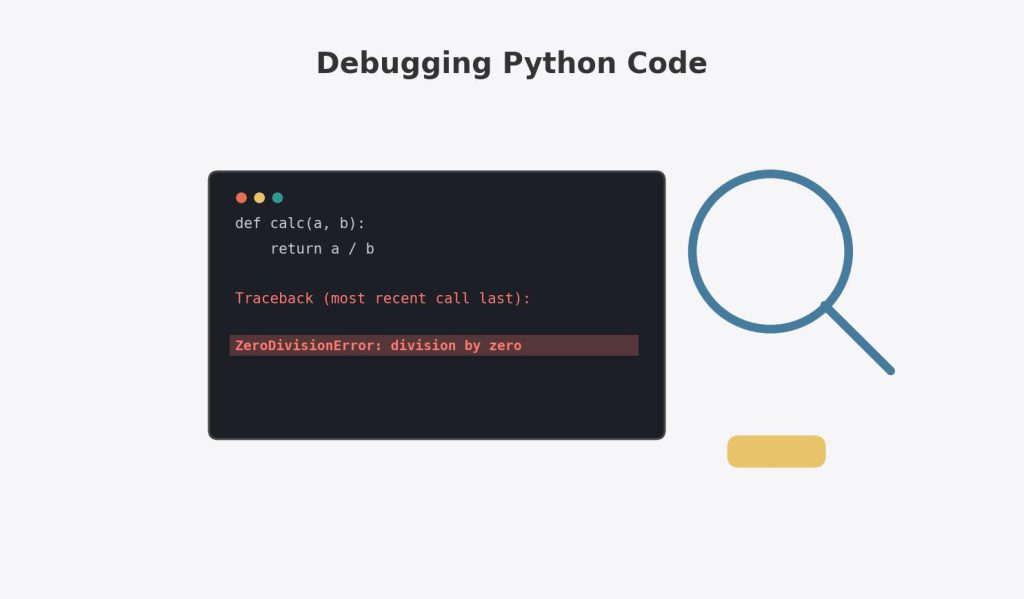
Every Python student hits the same wall at some point: a wall of red text appears, the program stops, and the instinct is to panic, delete half the code, and start guessing. The single biggest shift in becoming a competent Python programmer isn’t writing better code the first time — it’s learning to read an error message calmly and extract exactly what it’s telling you. This guide teaches you how to read a Python traceback properly, walks through the specific error types that show up most often in university assignments, and covers try/except for handling errors gracefully once you understand them.
Table of Contents
ToggleReading a Traceback: The Skill That Solves Half of All Debugging
When Python hits an error it can’t recover from, it prints a traceback — and most students’ instinct is to skip straight to the last line and ignore everything above it. That’s actually backwards for understanding where the problem originates, though the last line does tell you what went wrong.
def calculate_average(scores):
    total = sum(scores)
    return total / len(scores)

def process_class(class_scores):
    return calculate_average(class_scores)

result = process_class([])
print(result)
The resulting traceback:
Traceback (most recent call last):
  File "assignment.py", line 8, in <module>
    result = process_class([])
  File "assignment.py", line 6, in process_class
    return calculate_average(class_scores)
  File "assignment.py", line 3, in calculate_average
    return total / len(scores)
ZeroDivisionError: division by zero
How to read this, from bottom to top:
- The last line tells you the error type (
ZeroDivisionError) and a brief description (division by zero) — this is the “what went wrong.” - Working upward, each “File… line… in…” block shows the chain of function calls that led to the error, starting from where the error actually occurred and working back to where your program started. This is the “how did we get here.”
- In this example:
process_class([])was called with an empty list, which passed an empty list intocalculate_average, wherelen(scores)evaluated to 0, causing the division by zero on line 3.
Common assignment mistake: Only reading the final error type and description, then trying to fix it by guessing, without tracing the call chain upward to understand why an empty list ended up being passed in the first place. A durable fix here isn’t just wrapping the division in a special case — it’s understanding that process_class([]) represents a genuinely invalid input that should probably be validated before the calculation ever runs.
The Error Types You’ll See Most Often
SyntaxError
Occurs when Python can’t even parse your code — it never starts running at all.
if x = 5:          # SyntaxError: invalid syntax
    print("five")
The fix: = is assignment; == is comparison. This is one of the most common SyntaxError causes for beginners — always double-check comparison operators inside if statements.
NameError
Occurs when you reference a variable or function that doesn’t exist (yet, or at all) in the current scope.
print(total_score)  # NameError: name 'total_score' is not defined
total_score = 100
The fix: the variable must be defined (assigned a value) before the line that uses it — Python executes code top to bottom, so a variable used before its assignment line simply doesn’t exist yet as far as that line is concerned. This also commonly happens due to a typo in a variable name (toal_score instead of total_score), which Python treats as an entirely different, undefined variable.
TypeError
Occurs when an operation is applied to a value of the wrong type.
age = "25"
next_year = age + 1  # TypeError: can only concatenate str (not "int") to str
The fix: age is a string (likely from input(), which always returns a string), and Python won’t automatically convert it for arithmetic — you need int(age) + 1 to explicitly convert it first. This exact pattern — forgetting that input() returns a string — is one of the most frequently repeated TypeError causes across intro Python assignments.
IndexError
Occurs when you try to access a list (or other sequence) position that doesn’t exist.
scores = [85, 90, 78]
print(scores[3])  # IndexError: list index out of range
The fix: remember that indexing starts at 0, so a list of 3 items has valid indices 0, 1, and 2 — index 3 doesn’t exist. This connects directly to the same off-by-one confusion covered in Python Loops, List Comprehensions, and Iterators, where range() and list indexing both start counting from 0.
KeyError
Occurs when you try to access a dictionary key that doesn’t exist.
student = {"name": "Amara", "major": "Biology"}
print(student["gpa"])  # KeyError: 'gpa'
The fix: use .get() instead of square-bracket access when a key might not exist, since .get() returns None (or a specified default) instead of raising an error:
print(student.get("gpa"))            # None
print(student.get("gpa", "Not set")) # Not set
AttributeError
Occurs when you try to use a method or attribute that doesn’t exist on a given object — often because the object is a different type than you expected.
name = "Amara"
name.append("!")  # AttributeError: 'str' object has no attribute 'append'
The fix: .append() is a list method, not a string method — strings are immutable in Python, so there’s no way to modify one in place. If you want to build a modified string, use concatenation (name = name + "!") or an f-string instead.
A subtler, extremely common version of this error:
def get_scores():
    print("Fetching scores...")
    # forgot to add a return statement!

scores = get_scores()
average = sum(scores) / len(scores)  # TypeError: 'NoneType' object is not iterable
Here, get_scores() never explicitly returns anything, so it defaults to returning None — exactly the return vs. print confusion covered in Python Functions Explained. The resulting error appears several lines away from the actual root cause, which is a common and specifically frustrating pattern: the traceback points to where the symptom appeared (sum(scores)), not necessarily where the underlying mistake was made (the missing return inside get_scores).
ValueError
Occurs when a value has the right type but an inappropriate value for the operation.
age = int("twenty-five") # ValueError: invalid literal for int() with base 10: 'twenty-five'The fix: int() can only convert strings that actually represent whole numbers — "25" works, "twenty-five" doesn’t. This commonly shows up when processing user input or real-world data files that contain unexpected text where a number was expected.
try/except: Handling Errors Gracefully Instead of Crashing
Once you understand why an error occurs, try/except lets your program catch it and respond sensibly instead of stopping entirely.
def safe_divide(a, b):
    try:
        return a / b
    except ZeroDivisionError:
        return "Cannot divide by zero"

print(safe_divide(10, 2))  # 5.0
print(safe_divide(10, 0))  # Cannot divide by zero
Worked example — handling multiple possible error types:
def get_valid_age():
    try:
        age = int(input("Enter your age: "))
        if age < 0:
            raise ValueError("Age cannot be negative")
        return age
    except ValueError as e:
        print(f"Invalid input: {e}")
        return None
What’s happening: this function tries to convert the input to an integer. If the input isn’t a valid number at all (like "twenty"), int() itself raises a ValueError, which gets caught. If the input is a valid number but negative, the code explicitly raises its own ValueError with a custom message — showing that raise isn’t just something Python does automatically; you can deliberately trigger an exception yourself when your code detects an invalid situation that isn’t automatically caught by a built-in operation.
Common assignment mistake — catching every possible error with a bare except::
try:
    result = risky_calculation()
except:  # AVOID: catches literally everything, including typos and interruptions
    print("Something went wrong")
Why this is discouraged: a bare except: silently swallows every type of error, including ones you didn’t anticipate and genuinely need to see — like a typo in a variable name (NameError), which would otherwise help you catch a bug during development. Always catch specific exception types (except ValueError:, except ZeroDivisionError:) so you only handle the errors you actually intended to handle, and let unexpected ones surface normally so you can fix the underlying issue.
Worked example — try/except/else/finally, the full structure:
def load_student_record(filename):
    try:
        file = open(filename, "r")
        data = file.read()
    except FileNotFoundError:
        print(f"Error: {filename} not found.")
        return None
    else:
        print("File loaded successfully.")
        return data
    finally:
        print("Attempted to load file — cleanup complete.")
What each block does: try contains the code that might fail. except runs only if a matching error occurs. else runs only if no error occurred in the try block — useful for code that should only run after a guaranteed success. finally runs no matter what — whether an error occurred or not — making it the right place for cleanup code (like closing a file) that must always happen.
A Systematic Debugging Process (Not Just Reading Error Messages)
Sometimes code runs without crashing but still produces the wrong result — no traceback to read, just an incorrect answer. This requires a different, more systematic approach:
- Read the error message fully, bottom to top, if there is one — identify the error type and trace the call chain to find where it originated, not just where it surfaced.
- Isolate the problem by testing smaller pieces of your code independently — if a function is misbehaving, test it alone with simple, known inputs before assuming the bug is somewhere else.
- Add temporary print statements at key points to check whether variables actually hold the values you expect at each stage — this remains one of the fastest, most reliable debugging techniques even for experienced programmers.
- Check your assumptions about data types — a huge share of bugs (especially
TypeErrorand unexpected calculation results) come from a value being a string when you expected a number, orNonewhen you expected an actual value, often traced back to a missingreturnas shown earlier. - Reproduce the bug with the smallest possible example — if a large program fails, try to recreate the same failure with a short, minimal snippet, which almost always makes the actual cause much easier to see.
Worked example applying this process:
def calculate_class_average(students):
    total = 0
    for student in students:
        total += student["score"]
    return total / len(students)

class_data = [{"name": "Amara", "score": 85}, {"name": "Ben", "score": "90"}]
print(calculate_class_average(class_data))
This raises TypeError: unsupported operand type(s) for +=: 'int' and 'str'. Following the process above: the error type tells us we’re adding an int and a string somewhere. Adding a print statement inside the loop (print(type(student["score"]))) quickly reveals that Ben’s score was stored as "90" (a string) instead of 90 (an integer) — a data entry inconsistency, not a logic error in the averaging code itself. The fix is either correcting the source data or defensively converting each score with int(student["score"]) inside the loop.
A Step-by-Step Checklist for Students Stuck Debugging an Assignment
- Read the traceback from the bottom (error type and message) and then trace upward through the call chain to find where the problem actually originates, not just where it surfaced.
- Match your error type to its likely cause using the reference list above —
TypeErroroften means a wrong data type (frequently a string that should be a number),IndexError/KeyErrormean you’re accessing a position or key that doesn’t exist, andAttributeErroroften means an object is a different type than expected (very oftenNonefrom a missingreturn). - Use targeted
exceptclauses for errors you can genuinely anticipate and handle sensibly — never use a bareexcept:that silently hides unexpected bugs. - When there’s no error but the output is wrong, add print statements at each step to check whether your variables actually hold the values you expect, narrowing down exactly where the logic diverges from what you intended.
- Reduce the problem to the smallest possible example that still reproduces the bug — this alone resolves a surprising share of “I don’t even know where to start” debugging situations.
If you’ve worked through these steps and the error still isn’t clear, working through a Python assignment problem with guided support can help you understand where the logic is breaking down rather than simply providing a finished solution.
FAQs
Q1: Why does my traceback show multiple “File… line…” sections instead of just one? Each section represents one level of the function call chain that led to the error — Python shows you the entire path, from where your program started down to the exact line where the error actually occurred, which is exactly why reading from the bottom up (starting with the error type, then tracing the call chain) is the most efficient way to understand what happened.
Q2: What’s the difference between a syntax error and a runtime error like TypeError? A SyntaxError means Python couldn’t even understand your code’s structure well enough to start running it at all — it happens before execution. A runtime error like TypeError or ZeroDivisionError means your code was syntactically valid and started running successfully, but hit a problem partway through execution, based on the specific values or types involved at that point.
Q3: Should I use try/except around my entire program to prevent any crashes? No — wrapping everything in a broad try/except (especially a bare except:) hides genuinely useful error information you need during development and can mask real bugs rather than fixing them. Use try/except selectively, around specific operations where you can anticipate a particular, recoverable error and know exactly how to respond to it.
Q4: Why did I get an error several lines away from where I think my actual mistake is? This is common and expected — Python reports an error at the point where it becomes impossible to continue (the symptom), which isn’t always the same line where the underlying mistake was actually made (the cause), as shown in the missing-return example above. Tracing the traceback’s call chain, and checking the actual values of variables leading up to the error, usually reveals the true origin.
Q5: Is using print statements to debug considered “bad practice” compared to a real debugger? Not at all — while dedicated debugging tools (like a debugger built into an IDE, allowing you to step through code line by line) offer more power for complex situations, strategically placed print statements remain a completely legitimate, fast, and widely used debugging technique, including among experienced professional developers, especially for smaller assignments and scripts.
Related Reading Woven Into This Guide
Many of the specific errors covered here trace directly back to the return versus print distinction and mutable default argument trap covered in Python Functions Explained: Parameters, *args, **kwargs, and Return Values, and to the off-by-one indexing issues covered in Python Loops, List Comprehensions, and Iterators. If your debugging leads you into a class’s __init__ or method logic, the object-and-attribute concepts in Object-Oriented Programming in Python explain exactly what an AttributeError on a custom object usually means.